No Duplicates: Application Overview
Complete walkthrough of No Duplicates for Salesforce. Learn how to install and configure the app, create matching rules for Accounts, Contacts, and Leads, run duplicate scans, and review results. The video also covers setting up auto-merge strategies and scheduling recurring duplicate checks to keep your data clean automatically.
What You'll Learn
- Install No Duplicates from the Salesforce AppExchange and grant the required permission sets
- Create your first matching rule for Accounts, Contacts, or Leads with the right matching fields and types
- Run a duplicate scan and review the resulting duplicate groups in the Found Duplicates view
- Configure an auto-merge rule with master record and field value strategies
- Schedule recurring matching rule runs so duplicate detection happens automatically
- Use the Potential Duplicates component on record pages for real-time detection
Key Takeaways
- Matching rules are the foundation — every other feature builds on top of them
- Start with one focused matching rule per object before layering on automation
- Auto-merge requires both a master record strategy and field value strategies
- Scheduling turns one-time cleanup into ongoing data hygiene
Frequently Asked Questions
What permissions does No Duplicates require to install?
No Duplicates ships with two permission sets: an admin permission set for configuring matching rules, merge strategies, and the dashboard, and a read-only permission set for end users who only need to see and act on duplicates from record pages.
Which Salesforce objects does No Duplicates support?
The app works with standard objects (Accounts, Contacts, Leads) and custom objects. Cross-object matching between Leads and Contacts is supported, including for the Potential Duplicates lightning component.
Do I need to write any code to use No Duplicates?
No. Matching rules, merge strategies, scheduling, and analytics are all configured declaratively in the app UI. Salesforce Flows are only required if you want advanced custom logic for master record selection or field value resolution.
Can I run a duplicate scan without auto-merging?
Yes. You can run any matching rule in scan-only mode, review the duplicate groups in the Found Duplicates view, and decide which to merge manually. Auto-merge is opt-in per matching rule.
More Videos
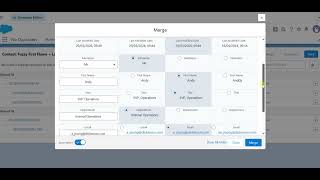
Auto-Select for Merge
Learn how Auto-Select pre-fills the merge modal with recommended field values based on your configured merge strategies. See how the modal opens ready to merge, how to review and adjust recommendations, and how Auto-Select connects to your Auto-Merge rules.
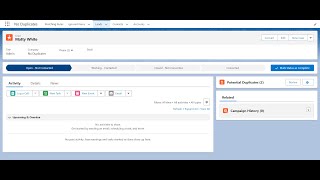
Potential Duplicates Component
Explore the Potential Duplicates lightning component that surfaces possible duplicate records directly on record pages in real time. Learn how to add the component to a page layout, review and compare potential matches, merge or dismiss duplicates, and customize display fields and detection thresholds.
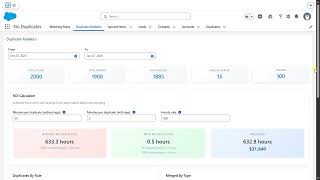
Duplicate Analytics Dashboard
Learn how to use the Duplicate Analytics dashboard to monitor duplicate trends, track merge history, and measure data quality improvements over time. This tutorial walks through navigating the dashboard, understanding trend charts, reviewing audit logs, and exporting analytics reports for stakeholders.