Auto-Select for Merge
Learn how Auto-Select pre-fills the merge modal with recommended field values based on your configured merge strategies. See how the modal opens ready to merge, how to review and adjust recommendations, and how Auto-Select connects to your Auto-Merge rules.
What You'll Learn
- Open the merge modal with field values already pre-filled based on your merge rule
- Review the recommended master record and field values before confirming the merge
- Override individual field recommendations with one click
- Toggle Auto-Select on and off in the merge modal footer
- Understand the relationship between Auto-Select and the underlying Auto-Merge configuration
Key Takeaways
- Auto-Select is effectively a preview of what auto-merge would do, but with manual confirmation
- It requires a configured Merge Rule with a Master Record Strategy and Field Value Strategy
- Manual overrides are not preserved when you toggle Auto-Select off and back on
- Works for both single-object and cross-object merges
Frequently Asked Questions
Do I need to configure auto-merge before I can use Auto-Select?
You need a configured Merge Rule with both a Master Record Strategy and a Field Value Strategy. You do not have to enable auto-merge itself — Auto-Select uses the rule purely to recommend values for the modal.
What happens to my manual overrides if I toggle Auto-Select off?
Manual overrides are discarded. When you toggle Auto-Select back on, recommendations are re-fetched from the merge rule and your previous overrides are not restored. Make your edits and confirm the merge in one pass.
Does Auto-Select work for cross-object merges?
Yes. Auto-Select supports both single-object merges (Account-Account, Contact-Contact) and cross-object merges (Lead-Contact), as long as a compatible Merge Rule is configured.
How is Auto-Select different from Auto-Merge?
Auto-Merge runs end to end without human input — it picks the master, picks field values, and merges. Auto-Select uses the same logic but pauses in the merge modal so you can review and adjust before confirming.
More Videos

Flow Strategy for Auto-Merge
See how to build a custom Flow strategy that controls master record selection and automatic merging of duplicate records. The video explains when to use Flow strategies, walks through building a Flow for master record selection, configuring automatic merge triggers, and handling edge cases and error scenarios.
Flow: Field Value Strategy
Discover how to use Flow-based field value strategies to control which field values survive after merging duplicates. This tutorial covers creating a Flow to pick the best field values, prioritizing non-blank and most recent data, applying custom logic per field type, and validating results after the merge completes.
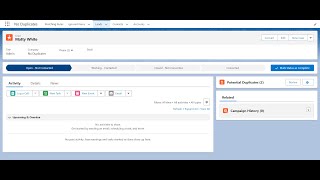
Potential Duplicates Component
Explore the Potential Duplicates lightning component that surfaces possible duplicate records directly on record pages in real time. Learn how to add the component to a page layout, review and compare potential matches, merge or dismiss duplicates, and customize display fields and detection thresholds.