Video Tutorials
Learn how to find, review, and merge duplicates in Salesforce with step-by-step video guides.
No Duplicates: Application Overview
Complete walkthrough of No Duplicates for Salesforce. Learn how to install and configure the app, create matching rules for Accounts, Contacts, and Leads, run duplicate scans, and review results. The video also covers setting up auto-merge strategies and scheduling recurring duplicate checks to keep your data clean automatically.
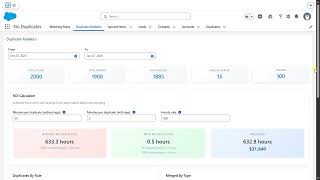
Duplicate Analytics Dashboard
Learn how to use the Duplicate Analytics dashboard to monitor duplicate trends, track merge history, and measure data quality improvements over time. This tutorial walks through navigating the dashboard, understanding trend charts, reviewing audit logs, and exporting analytics reports for stakeholders.
Flow Strategy for Auto-Merge
See how to build a custom Flow strategy that controls master record selection and automatic merging of duplicate records. The video explains when to use Flow strategies, walks through building a Flow for master record selection, configuring automatic merge triggers, and handling edge cases and error scenarios.
Flow: Field Value Strategy
Discover how to use Flow-based field value strategies to control which field values survive after merging duplicates. This tutorial covers creating a Flow to pick the best field values, prioritizing non-blank and most recent data, applying custom logic per field type, and validating results after the merge completes.
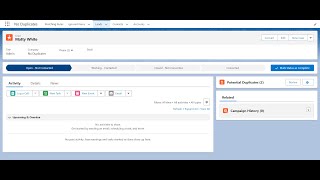
Potential Duplicates Component
Explore the Potential Duplicates lightning component that surfaces possible duplicate records directly on record pages in real time. Learn how to add the component to a page layout, review and compare potential matches, merge or dismiss duplicates, and customize display fields and detection thresholds.
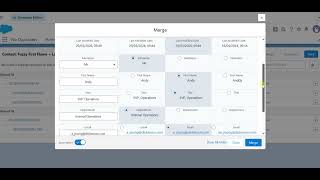
Auto-Select for Merge
Learn how Auto-Select pre-fills the merge modal with recommended field values based on your configured merge strategies. See how the modal opens ready to merge, how to review and adjust recommendations, and how Auto-Select connects to your Auto-Merge rules.