NPSP Compatibility
This page explains how the No Duplicates app works with the Nonprofit Success Pack (NPSP) and addresses common household merge issues.
The Problem
NPSP users should know that when contacts get merged using any tool other than NPSP tools, non-master households get renamed to Anonymous Households. This is described in Knowledge Article 000381971.
Example Scenario
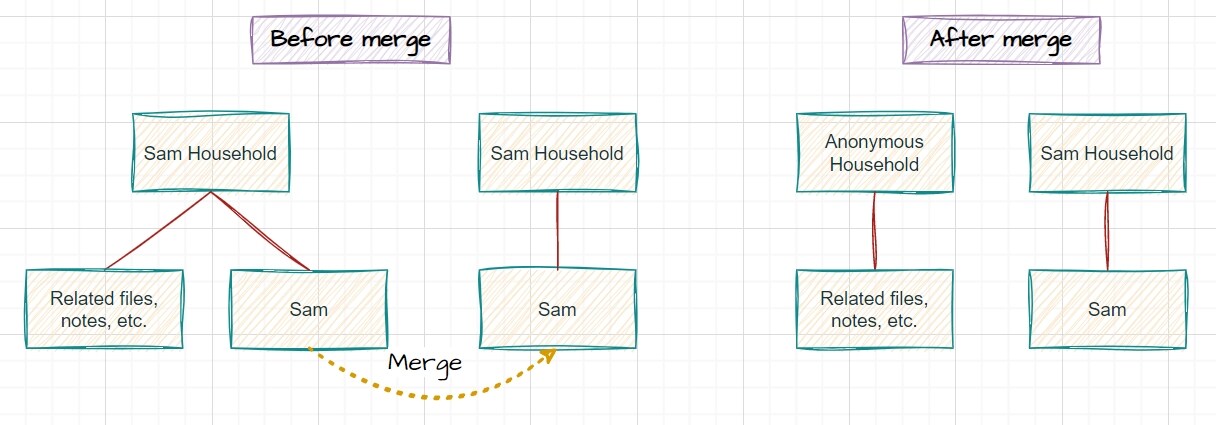
Before Merge:
We have two contacts named Sam:
- Sam Contact 1 → Associated with Sam Household 1 (has files, notes, attachments, activities)
- Sam Contact 2 → Associated with Sam Household 2 (has files, notes, attachments, activities)
After Merge (without NPSP compatibility):
- Sam Contact 1 and Sam Contact 2 are merged into one contact
- Sam Household 2 gets renamed to Anonymous Household
- Related objects (files, notes, attachments, activities) from Sam Household 2 are not transferred anywhere
- Data may be lost or become inaccessible
The Solution
No Duplicates provides special behavior when the NPSP package is installed:
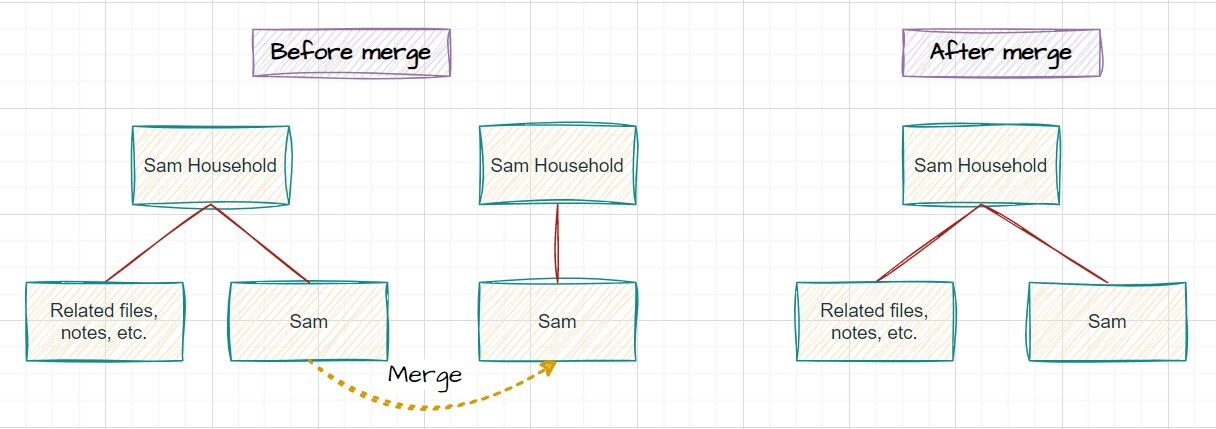
After Merge (with NPSP compatibility enabled):
- Sam Contact 1 and Sam Contact 2 are merged into one contact
- Sam Household 1 and Sam Household 2 are automatically merged into one household
- All related items (files, notes, attachments, activities) from both households are transferred to the winning Sam Household
- No data is lost during the merge process
- Household names are preserved (no "Anonymous Household" renaming)
This ensures that all household-related data is properly preserved when merging contacts.
Important Notes
NPSP Package Required: This behavior applies only when the NPSP package is installed and contacts get merged.
Account Record Types: Accounts with record types other than Household Account are not merged in this scenario. Only Household Accounts are automatically merged when their associated contacts are merged.